
 |
· Introduction |
Screen Shots
This page displays live screenshots of Principal AntiVirus in action.
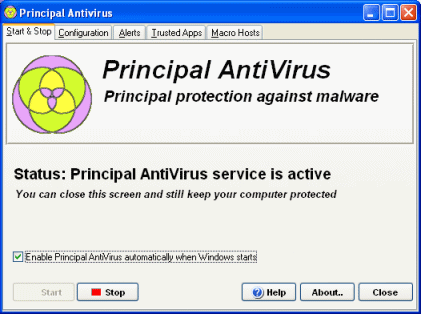 |
Protecting your computer against malware is as easy as clicking the Start button. It is recommended to allow Principal AntiVirus to startup automatically every time Windows is started. |
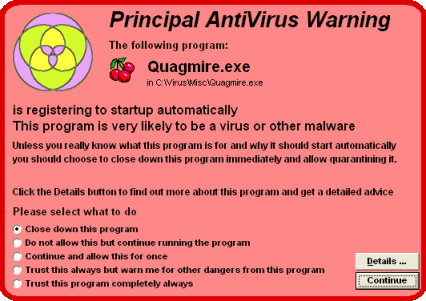 |
Before a dangerous program causes damage to your computer, Principal
AntiVirus will block it and tell you how bad is the program you are running.
|
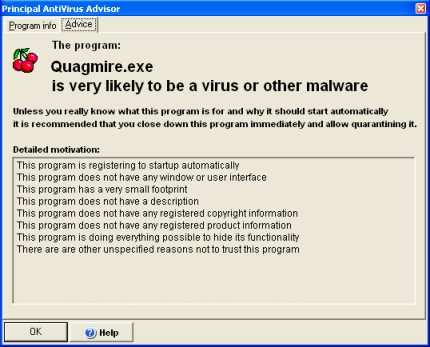 |
By clicking the details button when a dangerous program is blocked you can get
detailed program information and advice with motivated reasons why a program is thought to be a virus or other malware.
|
By recognizing real threats instead of virus signatures this software stays ahead of future malware and does not require subscriptions or regular updates.
Copyright © 1997-2026 Resplendence Software Projects, a trademark of SoftRev Labs S.r.l.s. All rights reserved. Privacy Policy.
Page generated on 2026-10-06 11:35:29 AM. Last updated on 2026-06-18 03:10:02 PM.